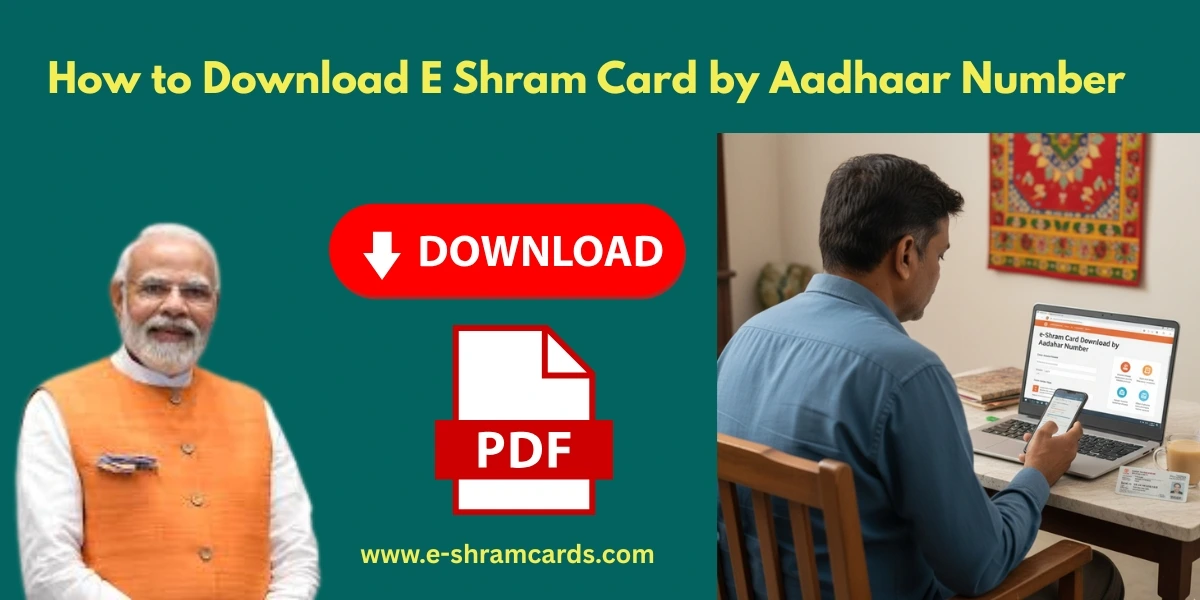
How to Download E Shram Card by Aadhaar Number
The e-Shram Card has become an indispensable digital identity for India’s vast unorganized workforce. Whether you’re a daily wage earner, a construction worker, a domestic helper, or a street vendor, this card links you to crucial social security and welfare benefits. If you’ve previously registered for an e-Shram card and need to download it, using your Aadhaar number is one of the most straightforward and secure methods.
This article will guide you through the entire process of e-Shram card download by Aadhaar number in 2026, ensuring you can access your card easily and keep your benefits flowing.
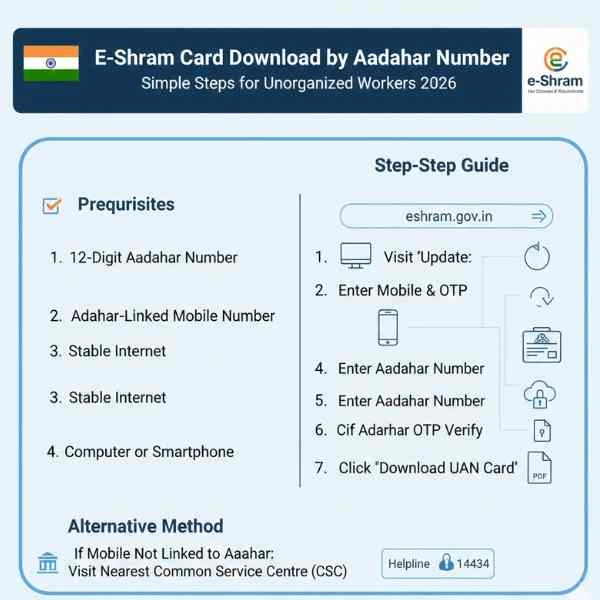
Prerequisites for Downloading E Shram with Aadhaar
Before you start the download process, ensure you have the following ready:
- Your 12-Digit Aadhaar Number: This is the primary requirement for verification.
- Aadhaar-Linked Mobile Number: The mobile number linked to your Aadhaar card is crucial for receiving the One-Time Password (OTP).
- Stable Internet Connection: For a smooth and quick download process.
- Computer or Smartphone: You can perform this action on either device.
E Shram Card Download by Aadhaar Number Step-by-Step Guide
Follow these simple steps to download your e-Shram card using your Aadhaar number:

Step 1: Visit the Official e-Shram Portal
Open your web browser (Chrome, Firefox, etc.) and go to the official e-Shram website , eshram.gov.in. Always use the official portal to ensure your data is secure.
Step 2: Navigate to the Already Registered Section

On the homepage, look for a section that says “Already Registered?” or similar, usually found on the right side or top banner. Click on the “Update Profile” or “Download UAN Card” link within this section. This will take you to the login page.
Step 3: Enter Your Aadhaar-Linked Mobile Number

The system will first ask for your Aadhaar-linked mobile number. Enter the 10-digit mobile number, followed by the Captcha code (a set of letters and numbers displayed to confirm you’re not a robot). Then, click “Send OTP.”
Step 4: Verify with Mobile OTP
You will receive a 6-digit One-Time Password (OTP) on the mobile number you just entered. Enter this OTP into the designated field on the website and click “Submit.”
Step 5: Authenticate with Your Aadhaar Number
After mobile verification, the portal will prompt you to enter your 12-digit Aadhaar Number. Carefully type in your Aadhaar number. Below this, you will see options for authentication: “OTP”, “Fingerprint,” or “Iris Scan.”
- Choose “OTP”: This is the easiest method if your mobile number is linked to Aadhaar.
- Click “Submit.”
Step 6: Aadhaar OTP Verification
Another OTP will be sent, this time from UIDAI (Aadhaar), to the mobile number registered with your Aadhaar. Enter this OTP into the required field and click “Validate.” This step confirms your identity through your Aadhaar details.
Step 7: Access Your Profile and Download UAN Card
Once the Aadhaar OTP is successfully validated, you will be redirected to your e-Shram dashboard. Here, you will see options like “Update Profile” and “Download UAN Card.”
Step 8: Download and Save Your Card
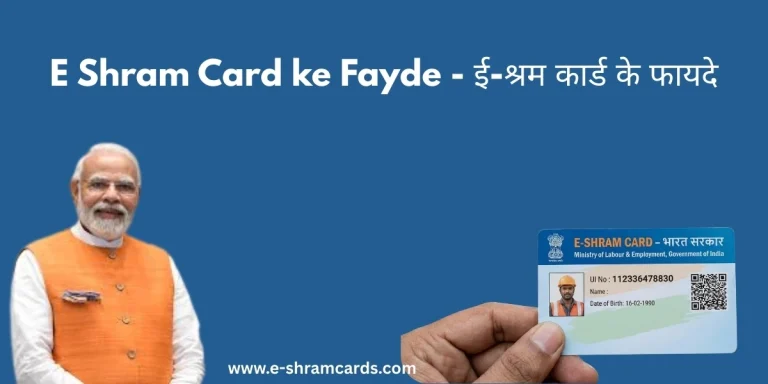
Click on “Download UAN Card.” Your e-Shram card, displaying your photo, UAN, and other details, will appear on your screen in PDF format. Look for a download icon or a “Download” button to save the PDF file to your device. You can then print it out or keep a digital copy for future use.
Also Check: E Shram Card Status Check and Download by Mobile Number
Why You Need to Download Your e-Shram Card
Even if you’ve registered, there are several reasons why you might need to download your e-Shram card again:
- Lost or Damaged Card: The most common reason is misplacing your physical card or it getting damaged.
- Proof of Registration: To show as proof of being an unorganized worker for various government schemes or services.
- Updating Information: After updating details like your address or bank account, you might want a fresh copy of your card reflecting the new information.
- Accessing New Benefits: As the e-Shram portal evolves into a “One-Stop Solution,” having a readily accessible digital card helps streamline your access to new schemes.
- Digital Copy: For easy access on your smartphone or to share digitally when required.
What if My Mobile Number is NOT Linked to Aadhaar?
If the mobile number you used for e-Shram registration is different from the one linked to your Aadhaar, or if your mobile number is not linked to Aadhaar at all, the online OTP method won’t work. In such cases, you have two options:
- Update Aadhaar-Linked Mobile Number: First, get your mobile number linked to your Aadhaar card. You can do this by visiting any Aadhaar Enrolment Centre or Post Office. This process can take a few days.
- Visit a Common Service Centre (CSC): This is the quickest solution. At a CSC, an operator can authenticate your identity using biometric methods (fingerprint or iris scan) with your Aadhaar, and then help you download and print your e-Shram card.
Conclusion
Downloading your e-Shram card using your Aadhaar number is a secure and efficient process, crucial for every unorganized worker in India in 2026. This digital card is not just an identity proof but your direct link to accidental insurance, pension benefits, health coverage, and various other government welfare schemes integrated through the “One-Stop Solution.” By following these steps, you can ensure you always have access to your e-Shram card and, consequently, your social security entitlements.
Frequently Asked Questions (FAQ)
Can I download my e-Shram card without an Aadhaar number?
No, an Aadhaar number is mandatory for both e-Shram registration and downloading the card. It is the primary identification document for the scheme.
Is there a fee to download the e-Shram card?
No, downloading the e-Shram card from the official portal is completely free of cost. Beware of any websites or individuals asking for money to download your card.
What if I forgot my registered mobile number for e-Shram?
The system primarily uses the Aadhaar-linked mobile number for OTP verification. If you’ve forgotten or no longer have access to the mobile number you initially used for e-Shram registration, but your Aadhaar is still linked to an active number, you can usually proceed with the Aadhaar OTP method. If not, visiting a CSC is recommended.
How many times can I download my e-Shram card?
You can download your e-Shram card as many times as you need from the official portal. There is no limit.
Do I need to update my e-Shram card every year?
While the card itself is valid for a lifetime, it’s highly recommended to update your profile (especially address, occupation, and bank details) at least once a year or whenever your information changes. This ensures you remain eligible for all benefits and receive timely payments.