E Shram Card KYC Complete Process 2026 – Step-by-Step Guide
The E Shram Card is a vital digital identity for unorganized workers in India. Launched by the Ministry of Labour and Employment, this card ensures that workers like street vendors, farmers, and domestic helpers get access to government welfare schemes and financial aid. However, to keep receiving these benefits, your data must be accurate. This is where the e shram card kyc process becomes essential.
In this article, we will explain everything you need to know about the E Shram Card KYC Update online and how to ensure your profile is up to date. Check how to download E Shram card in PDF format.
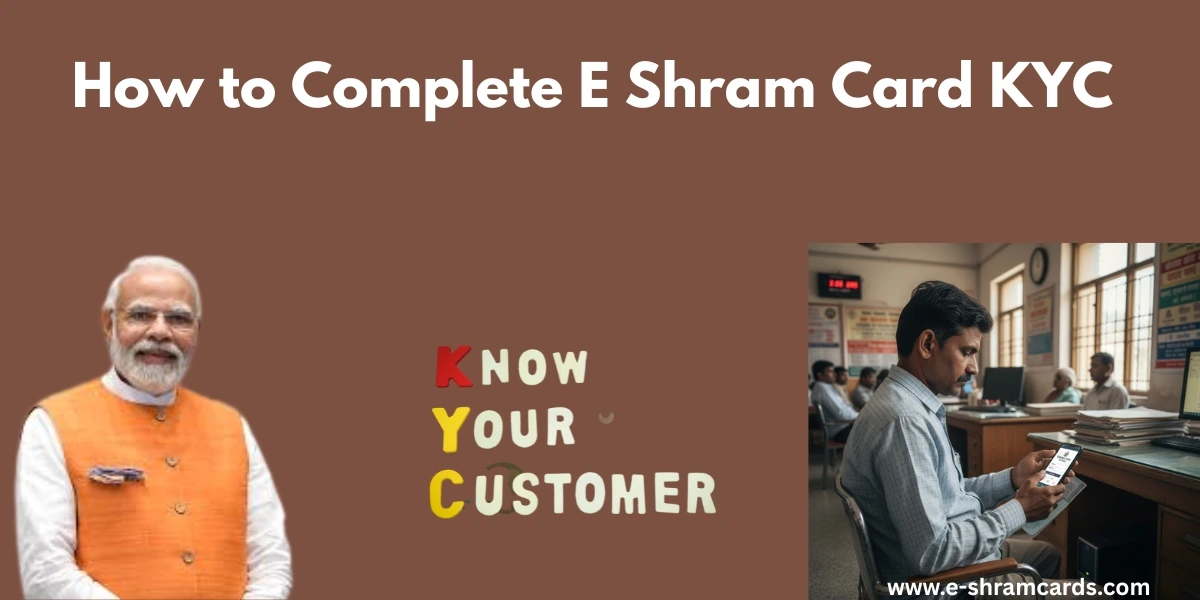
What is E Shram Card KYC?
KYC stands for “Know Your Customer.” For the E Shram portal, it means verifying your identity using your Aadhaar card. Since the government uses this data to send money directly to your bank account (DBT), keeping your KYC updated ensures there are no hurdles in receiving payments.
If you have recently changed your mobile number, address, or bank account, you must perform an E shram card Kyc kaise kare search and follow the update steps immediately.
Why is E Shram KYC Update Important?
Many workers ask why they need to go through the e shram card kyc process again. Here are the top reasons:
- Correct Bank Details: If your bank account is not linked or if the IFSC code has changed (due to bank mergers), you won’t receive government subsidies.
- Aadhaar Integration: If you updated your Aadhaar card recently, the E Shram portal needs to sync those changes.
- Scheme Eligibility: The government introduces new schemes based on your occupation. Updating your KYC ensures you are categorized correctly.
- Avoiding Rejection: Inactive or outdated profiles may be flagged, leading to a stop in benefits.
Check Also: E Shram Card Status Check 2026
Documents Required for KYC Update
Before you start the E Shram Card kyc Update online, keep these things ready:
- Aadhaar Number: Your 12-digit unique ID.
- Linked Mobile Number: You must have the mobile phone that is linked to your Aadhaar to receive an OTP (One-Time Password).
- Bank Account Details: Your bank passbook for account number and IFSC code.
- Educational Details: If you have gained new skills or qualifications.
E Shram Card KYC Process – Step-by-Step Guide
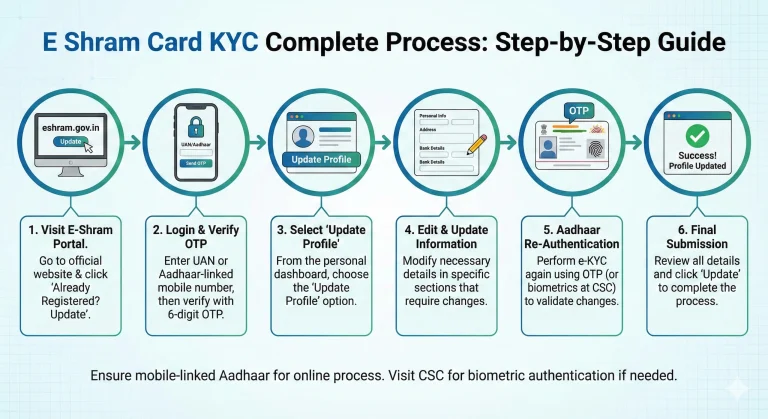
Updating your card is simple and can be done from the comfort of your home. Follow these steps for a smooth e shram card kyc process:
Step 1: Visit the Official Portal
Open your web browser and go to the official website: eshram.gov.in. Look for the section that says “Already Registered? Update.”
Step 2: Login with UAN or Aadhaar
You can log in using your UAN (Universal Account Number) or your Aadhaar-linked mobile number. Enter the number and the Captcha code shown on the screen. Click on “Send OTP.”
Step 3: Verify the OTP
Enter the 6-digit OTP received on your mobile phone. This will take you to your personal dashboard.
Step 4: Choose Update Profile
On the dashboard, you will see two options: “Update Profile” and “Download UAN Card.” Click on Update Profile.
Step 5: Update Necessary Information
You will see different sections like Personal Information, Address, Education, and Occupation. If you are specifically looking for E Shram Card kyc Update online, click on the relevant section that needs changes.
Step 6: Aadhaar Re-Authentication
To complete the KYC, the system might ask for an Aadhaar-based e-KYC. Enter your Aadhaar number again and choose the “OTP” method. Once you enter the new OTP, your Aadhaar data will be fetched and updated on the E Shram portal.
Step 7: Final Submission
Review all your details one last time. If everything looks correct, click on the Update button. Your data is now successfully updated.
E shram card KYC kaise kare (Using Mobile App)
If you don’t have access to a computer, you can use the UMANG App.
- Download the UMANG app from the Play Store.
- Search for “e-Shram” services.
- Select “Update Profile.”
- Follow the same OTP-based verification process mentioned above.
This is a very convenient way for workers to handle their E Shram Card kyc Update online without visiting a cyber cafe.
What to do if you don’t have a Mobile-Linked Aadhaar?
If your mobile number is not linked to your Aadhaar card, you cannot complete the process online at home. In this case, you should visit a Common Service Centre (CSC).
At a CSC, the operator will perform the e shram card kyc process using your Biometrics (Fingerprint) or Iris Scan. This is a physical verification method that doesn’t require a mobile OTP.
Common Issues and Solutions
| Issue | Solution |
| OTP Not Received | Check if your mobile network is stable. Ensure the number is linked to Aadhaar. |
| Wrong Bank Details | Go to ‘Bank Account Details’ section and re-enter the correct IFSC and Account number. |
| Photo Not Updating | The photo is pulled directly from Aadhaar. Update your photo in Aadhaar first, then do the E Shram KYC. |
| Server Error | The portal is often busy. Try updating during early morning or late night. |
Conclusion
Completing your e shram card kyc process is not just a formality, it is a way to secure your financial future. By keeping your information current through the E Shram Card kyc Update online portal, you ensure that you never miss out on insurance benefits, pension schemes, or emergency funds provided by the government.
Whether you are doing it yourself or asking a friend “E shram card Kyc kaise kare,” make sure to double-check every detail before clicking submit. Stay updated, stay secure.